AI meeting notes that become memory
AI meeting notes are a transcript plus a model that turns it into a summary, action items and follow-ups. Audiee.ai does that from your Mac without a bot, in English, Mandarin and Cantonese — the audio is transcribed by a cloud speech provider, and the notes land on your Mac as files — and then keeps going: the notes become pages in a knowledge base that answers questions, with sources.
How does Audiee.ai know a meeting is starting?
Audiee.ai watches for Zoom, Google Meet, Microsoft Teams and Lark windows. When one appears it offers to take notes; you can also press Ctrl+M or click the menu-bar icon. If you've met these people before, a small card reminds you what happened last time.
What happens during the call?
- Live transcript on the side, mixed languages handled in one line.
- Questions answered live: when someone asks something you've discussed before — a price, a date, an owner — Audiee.ai detects the question and offers the answer from your record.
- Commitments caught: "let's set up a call next Wednesday" becomes a one-click action for the things you promised, and a "track" chip for what others promised you.
- Your notes: type alongside; they're saved with the meeting.
What do you get after the call?
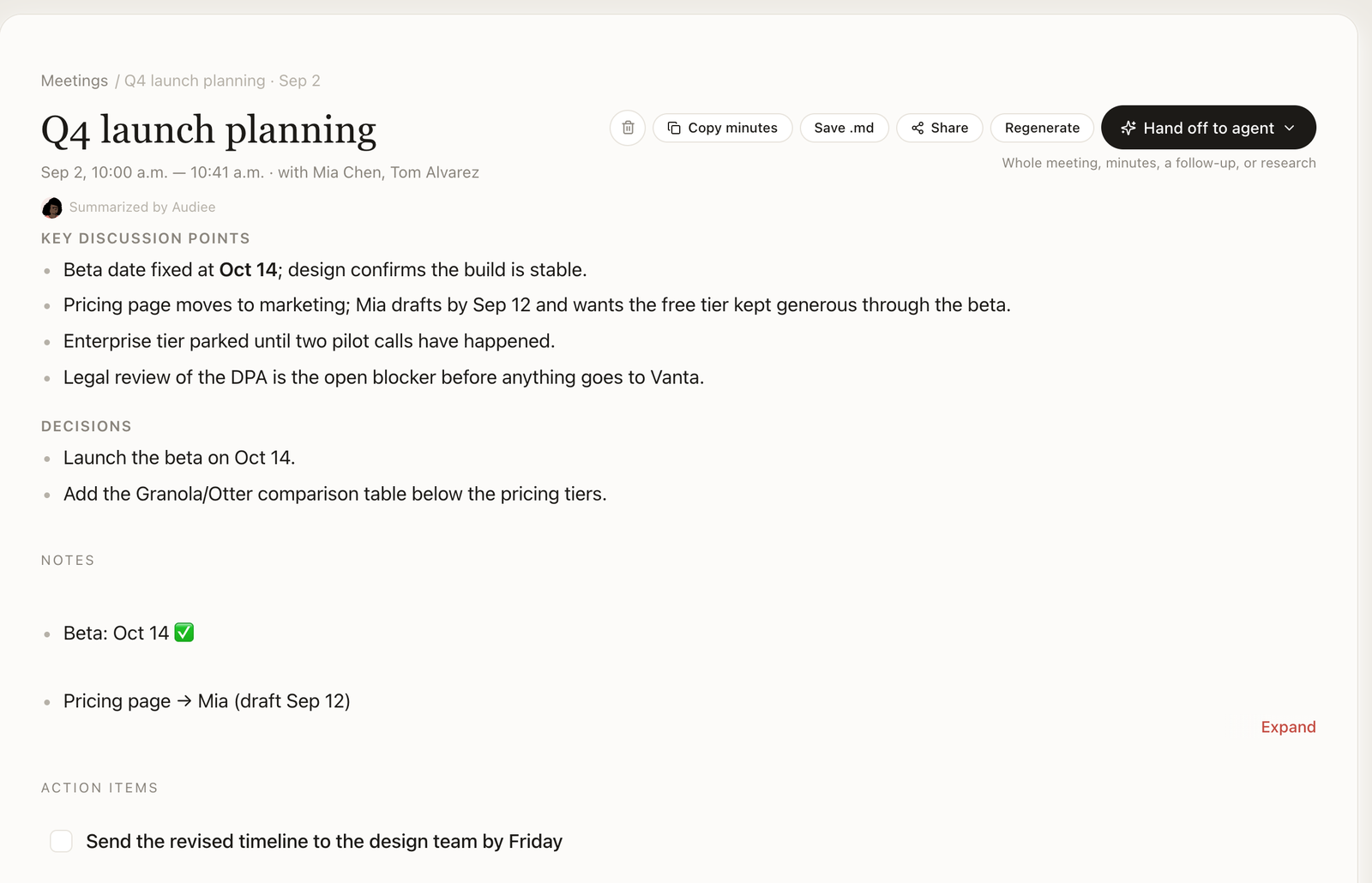
Within a minute you have a summary, your action items, what you're waiting on from others, and follow-ups. People and projects mentioned become linked pages; each claim carries a citation back to the meeting. Rename the meeting, edit the summary, or hand the whole thing to an agent ("draft the follow-up email").
How do you find something weeks later?
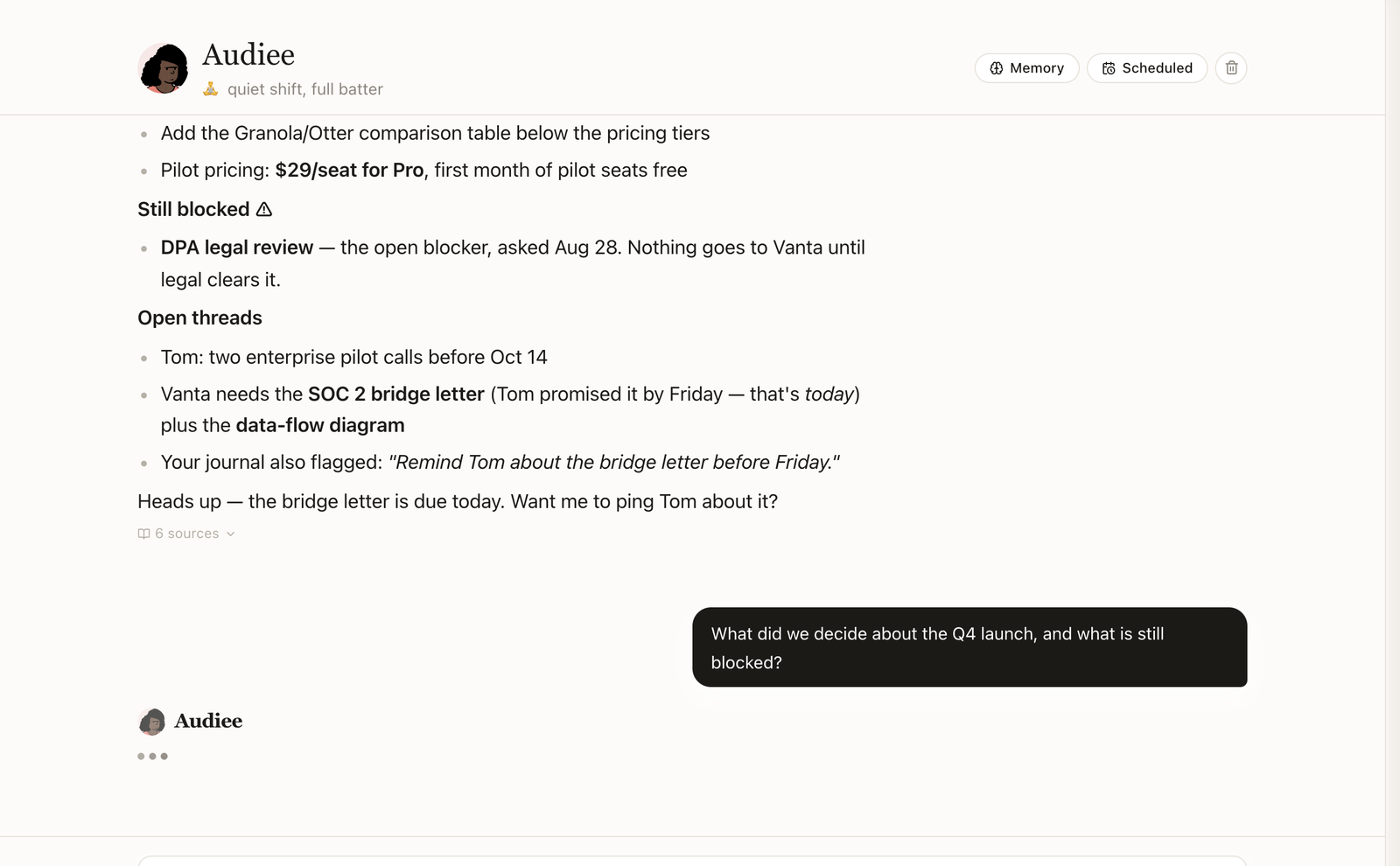
Ask in Chat: "what did Vanta ask for last time?" The answer comes with sources. Search works across meetings, voice notes and screenshots — lexical and semantic, on device. The evening review files anything worth keeping and lines up answers for tomorrow morning.
How do you share the notes?
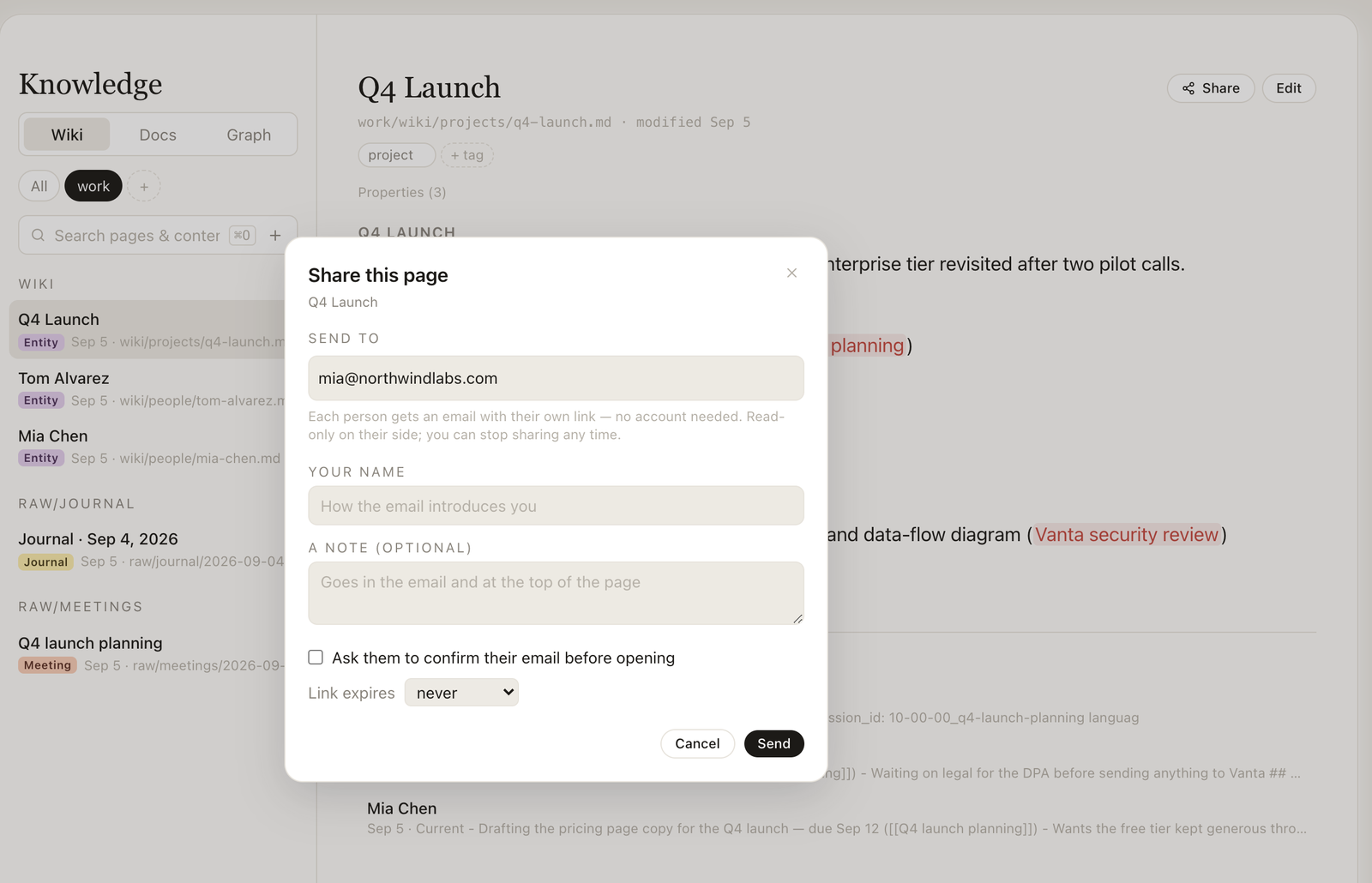
Click Share on any meeting: summary and action items always, your notes and the transcript only if you tick them. Each person gets an email with a personal link to a read-only page — no account needed. Stop sharing any time.
Where does the data live?
Transcripts, notes and the knowledge base are Markdown files under ~/.audiee on your Mac. Audio leaves only for transcription. Export is one click.